


Binance.US: Buy BTC & Crypto
3.36.91K Reviews
App Specs
- Version
- 3.45.0
- Updated On
- License
- Free
- Downloads
- 1,000,000+
- Developer
- Binance.US
- Categories
- Finance
- Platform
- Android
Screenshots
 Analysis by AppCompare
I’d start by treating Binance.US: Buy BTC & Crypto as a place to manage deliberate crypto purchases, not as a shortcut to effortless returns. Crypto prices can move sharply, and a tidy screen cannot make that risk disappear. The app is a free finance app from Binance.US, aimed at people in the United States who want to buy and trade digital currencies through a dedicated exchange. I find that distinction useful: it is built around crypto activity, rather than serving as an all-purpose bank or investment dashboard.
The first decision is less about which coin to buy and more about how you want to use an exchange. If you want to check prices, make an occasional purchase, and keep your activity in one place, a focused app can feel manageable. If you expect to trade frequently, compare order details carefully, and keep records of each decision, you’ll want to build a routine before committing much money. I would not install it expecting a recommendation engine to decide what is suitable for you.
Where people tend to get stuck
For a new user, the initial hurdle is often account access and identity checks, rather than finding a coin. The published review describes signup as guided and says identity verification is required. I’d set aside a calm moment for that step, use consistent personal details, and read each prompt before moving on. If a check needs attention, repeatedly restarting the process is unlikely to make it clearer; note the message and follow the instructions shown in the app.
Funding and trading are separate decisions, and it helps not to rush from one to the next. Before placing an order, I would confirm what payment or funding method is available to my account, check the amount I intend to use, and review the final order screen. Availability and processing can depend on account circumstances, so I’d rely on the app’s current instructions rather than assume a particular method or timing.
Another common source of confusion is the difference between a displayed market price and the price or total shown when an order is submitted. A market order prioritizes execution at the available market price; a limit order lets you specify a price condition, though it may not execute if the market does not reach it. That choice matters more than tapping quickly. I’d pause to inspect the order type, quantity, and any displayed costs, especially when the market is moving.
The First Impressions
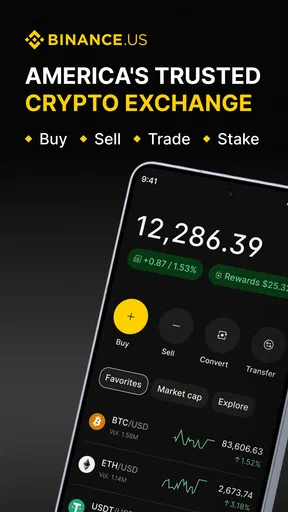
When you first open Binance.US, you're greeted with a clean and user-friendly interface. It's like walking into a well-organized store where everything is neatly labeled and easy to find. The app doesn’t bombard you with unnecessary clutter; instead, it guides you gently into the crypto world with an intuitive design.
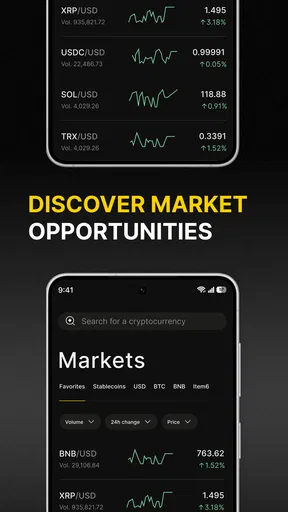
The homepage gives you a snapshot of the current market trends, with live updates on prices and quick access to popular coins like Bitcoin and Ethereum. I particularly appreciated the balance between simplicity and functionality here. It doesn’t feel overwhelming, which is a massive plus for beginners.
Worth Reading Before You Choose

EA SPORTS FC Mobile 26 Is a Bigger Football Game, but It Takes Time

Flipboard Shows What News Apps Must Do Beyond the Feed

Switching to Android Auto Means Rethinking Your Driving Routine

Google Calendar Makes a Crowded Week Easier to Manage

Ludo King Makes the Most of the Minutes Between Plans

Baby Panda World Brings Quick Play to Modern Phones, but Its Game Library Feels Busy
Getting Started
Signing up is a breeze. You’ll need to verify your identity, but the process is straightforward and well-guided. I felt secure knowing they take compliance seriously, which is crucial when dealing with financial assets. Once you're in, you can customize your dashboard to focus on the cryptocurrencies you're most interested in. It’s like tailoring a suit to fit just right.
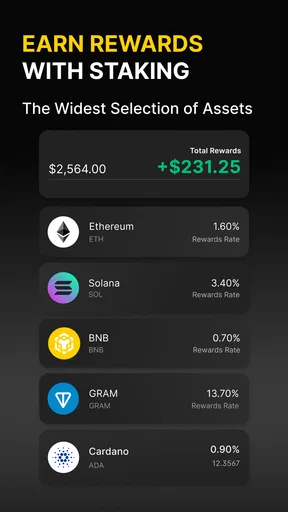
The app supports a solid range of digital currencies, allowing you to diversify your portfolio without needing multiple platforms. Whether you're into Bitcoin, Ethereum, or some of the lesser-known altcoins, Binance.US has got you covered.
Trading Experience
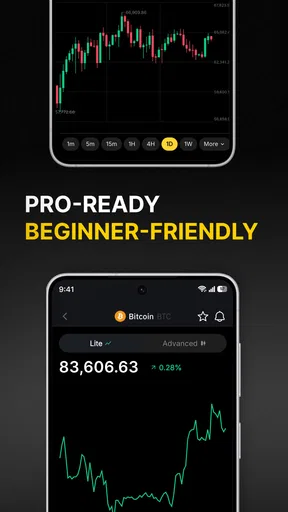
Trading on Binance.US is akin to driving a well-tuned sports car. It’s responsive and smooth, with a variety of tools at your disposal. You can engage in both market and limit orders, providing flexibility based on your trading strategy. For those who like to dig deeper, the app offers advanced charting tools and real-time data.
One thing that stands out is the low trading fees. It's like finding a hidden gem where you get more bang for your buck. The app is transparent about these fees, which is refreshing in an industry often criticized for hidden costs.
Security and Support
Security is a top priority for Binance.US. The app employs industry-standard security measures, including two-factor authentication and biometric login. This gave me peace of mind knowing my assets were well-protected. Plus, they have a robust insurance fund to cover potential breaches, which is a comforting safety net.
Customer support is accessible and responsive. Whether you prefer live chat, email, or FAQs, the support team is ready to help. I found their responses timely and helpful, which is crucial when navigating the sometimes volatile world of crypto. It feels like having a knowledgeable friend on speed dial.
Additional Features
Beyond trading, the app offers educational resources that are perfect for newcomers. From tutorials to market analysis, Binance.US ensures you're not just trading blindly. It’s like having a crypto coach by your side, helping you make informed decisions.
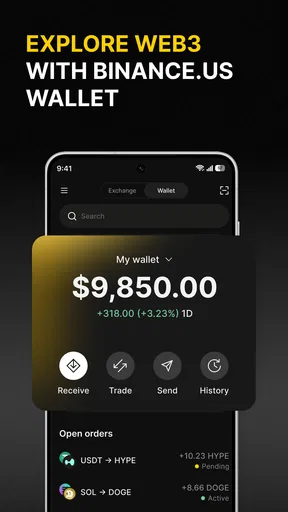
The app also integrates with other financial tools, allowing you to track your investments alongside traditional assets. This holistic approach makes it easier to manage your financial portfolio in one place.
Practical checks before placing an order
I would use the watchlist and market view as a research aid, not as a signal to act. A price moving up or down can create pressure to make a quick decision, but a short note about why I’m considering a purchase is more useful than reacting to a chart alone. For example, I might write down the asset, intended amount, and reason for buying before opening the order screen. If I cannot explain the decision in plain language, I’d wait.
A small first transaction can also serve as a workflow check, provided the amount is one I can afford to lose. It lets a new user learn where order details appear and how the app presents the resulting activity without turning the first session into a large commitment. I’d still check every confirmation; a small test is about understanding the process, not a guarantee that later transfers or trades will behave identically.
For an everyday routine, imagine checking the app during a lunch break after deciding in advance to make a modest recurring purchase. I’d verify that I’m signed into the right account, review the asset and amount, inspect the order summary, and then stop once it is complete. I would avoid making the purchase simply because a notification or sudden price move caught my attention. That separation between a planned action and an impulsive one is a practical safeguard, whichever exchange you use.
Setup checks and recovery habits
Before relying on the app, I’d make sure I can access the email and phone details tied to the account and that I understand the sign-in and verification prompts. If biometric sign-in is available on my device, I’d treat it as a convenience rather than my only recovery route. Keeping account recovery details current and using a unique password are basic habits that matter more than repeatedly checking a portfolio screen.
If a screen loads slowly or an action appears stuck, I’d first check the network connection and whether the app has finished loading before trying the same action again. For an order or transfer, the key question is whether it already submitted. I’d look at the activity or order status before retrying, since submitting twice to solve uncertainty could create two actions rather than fix one. If the status remains unclear, I’d save the exact message and seek help through the app’s support options instead of guessing.
When the app behaves unexpectedly, I’d make a note of the device, the step I was taking, and any visible error text. Then I’d close and reopen the app or check for an available update, while avoiding repeated attempts at sensitive actions until I know their status. The current version is 3.39.2, and the listed minimum operating system is Android 7.0; keeping a compatible device and current app version can eliminate some avoidable setup friction, though it cannot resolve account-specific checks.
When another option may suit you better
Compared with a general investing app, Binance.US is more specifically organized around buying and trading crypto. That focus can be helpful if you want market prices, coin access, and order tools together. A general brokerage may be a better fit if your main goal is to manage traditional investments and crypto is only a small side interest. A self-custody wallet serves a different purpose again: it puts more responsibility on you to manage access and transfers, so it is not automatically a simpler alternative for a beginner.
I’d also think about how much control I actually want. An exchange makes buying and trading more direct, but that convenience comes with decisions about account access, order types, and what to do with assets afterward. Someone who wants a simple, long-term financial plan without monitoring crypto markets may be better served by not adding a trading app at all. Likewise, if you need a particular asset or service, check that it is available to your account before building a plan around it.
The app is free to install and is rated for Everyone, but that does not mean crypto activity is suitable for every age or financial situation. I’d keep any purchase separate from money needed for rent, bills, debt payments, or near-term plans. The exchange’s interface can make a transaction convenient; it cannot make a volatile asset low-risk or replace personal research.
What the app’s reputation and audience tell me
Binance.US has more than a million installs, an average rating of 3.1 from around eleven thousand ratings, and roughly 6,900 written reviews. I take those figures as a reason to set realistic expectations rather than as a verdict on my own experience. A finance app can work smoothly for one person and still frustrate another when verification, access, or a specific transaction needs attention.
It first appeared on December 23, 2019, and is developed by Binance.US. That history gives the app an established place in the crypto category, but age and visibility do not remove the need to check current screens and account terms yourself. I’d use recent in-app information for decisions, especially where funding, fees, or order status are concerned, rather than assume an old habit still applies.
For a beginner, the educational material can help explain terminology, but I would read it alongside independent research and treat market commentary as information, not a personal instruction. For an experienced trader, charting and order controls may be useful, though a mobile screen is still a constrained place to compare several markets or review a complicated strategy. If detailed analysis is central to your process, I’d do that work on a larger screen and use the phone for a carefully checked action.
Final Thoughts
In the ever-evolving world of cryptocurrency, Binance.US: Buy BTC & Crypto stands out as a reliable and user-friendly platform. Whether you're a seasoned trader or a curious newcomer, this app offers a comprehensive suite of tools to help you navigate the crypto landscape. It’s like having a trusty compass guiding you through uncharted waters.
From its intuitive design to robust security measures, Binance.US provides a solid foundation for anyone looking to dive into the world of digital currency. So, if you're ready to explore, this app might just be the perfect partner for your crypto journey.
My practical verdict
I’d recommend it to someone who wants a dedicated crypto exchange on a phone, is comfortable learning the difference between market and limit orders, and can approach buying with a clear budget. Its focused layout, coin access, and trading tools make it more purposeful than a broad finance app when crypto is the main task. The free download lowers the barrier to exploring the interface, but it should not be mistaken for a low-risk way to invest.
I’d skip it if I wanted guaranteed simplicity, hands-off investing, or a substitute for a savings account. I’d also pause if I were not ready to handle identity checks, protect account access, and verify each action before submitting it. My best advice is to explore the screens first, learn how order details are presented, and make no purchase until the risks and the amount feel clear. Used with that restraint, Binance.US can be a practical tool; used on impulse, the same quick access can become a disadvantage.
Pros
- User-friendly interface for beginners.
- Low trading fees compared to competitors.
- Supports a wide range of cryptocurrencies.
- Advanced charting tools for analysis.
- Strong security features for user protection.
Cons
- Limited availability in some U.S. states.
- No margin trading available.
- Customer support can be slow to respond.
- Doesn't support credit card deposits.
- Limited educational resources for users.
FAQs for Binance.US: Buy BTC & Crypto
What is Binance.US and how does it differ from Binance?
Binance.US is a cryptocurrency exchange platform tailored for U.S. residents, providing a secure and compliant way to buy, sell, and trade cryptocurrencies such as Bitcoin, Ethereum, and more. Unlike its global counterpart, Binance.US complies with U.S. regulations, which affects the range of available cryptocurrencies and features to ensure legal adherence.
Is Binance.US safe to use for cryptocurrency trading?
Yes, Binance.US employs robust security measures to protect users' funds and personal information. These include two-factor authentication (2FA), encryption protocols, and cold storage for the majority of funds. However, as with any online platform, users should practice good security hygiene, such as using strong passwords and being cautious of phishing attempts.
What fees are associated with trading on Binance.US?
Binance.US offers a competitive fee structure, with trading fees starting at 0.1% for both makers and takers. Additional fees may apply for deposits and withdrawals, depending on the payment method. Users can reduce fees by holding Binance Coin (BNB) in their account and using it to pay for trading fees.
Does Binance.US offer a mobile app, and what features does it include?
Yes, Binance.US provides a mobile app available on both Android and iOS platforms. The app allows users to trade cryptocurrencies, monitor market trends, and manage their portfolios on the go. It includes features such as real-time price tracking, customizable alerts, and a user-friendly interface designed for both beginners and experienced traders.
What cryptocurrencies can I trade on Binance.US?
Binance.US supports a wide range of cryptocurrencies, including major coins like Bitcoin (BTC), Ethereum (ETH), and Litecoin (LTC), as well as numerous altcoins. The availability of specific cryptocurrencies may vary, and the platform frequently updates its listings to include new offerings while ensuring compliance with U.S. regulations.


